在 TradingView 上交易
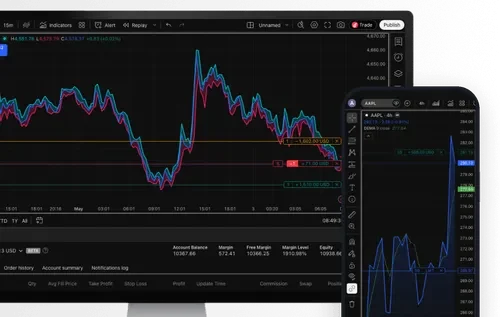
在 TradingView 上分析市場、建立策略,並直接從圖表進行交易。您可取得進階圖表功能、400 多種內建指標、新聞提醒,並能在全球市場交易,同時享有我們獨家提供的全天候合成指數。

數百萬人信賴的圖表分析與交易平台
400+ 種指標,用於詳細分析
內建指標、強大的資產篩選工具、提醒功能,以及使用歷史數據進行策略測試。

業界領先的圖表
17 種圖表類型、110+ 種繪圖工具,並可依任何交易風格深度自訂。
即時新聞與提醒
設定自訂價格、指標或趨勢線提醒,當市場朝您預期方向變動時立即收到通知。

適用於手機和桌面裝置
Android & iOS
取得 TradingView



如何使用TradingView
註冊帳戶
註冊免費Deriv帳戶及免費TradingView帳戶。
在您的 Deriv 儀表板上尋找 TradingView
請在差價合約部分找到它,然後點擊「連接到 TradingView」。
連結您的帳戶
在 TradingView 中,點選「連結」以連結您的帳戶。
開始交易
選擇您喜愛的商品,直接在TradingView圖表上開始交易。
TradingView常見問題
前往 tradingview.com,使用您的電子郵件或社交媒體帳戶註冊。
TradingView 相容於所有現代瀏覽器,並提供桌面版與行動版應用程式,您可以從其官方網站下載。
您可以交易全球頂尖金融市場,例如 Forex、股票、大宗商品、加密貨幣等,也可以全天候交易 Volatility 指數、Crash/Boom 指數、Step 指數、Jump 指數等 Synthetic Indices。
連結至 TradingView 後,您可以透過您的 Deriv Wallet 管理資金,包括存款與提款。
有幾種方法可以做到這一點 — 您可以隨時查看TradingView的幫助中心或YouTube頻道以獲取有用資訊,或透過TradingView的支援單提出反饋。
是的,您可以透過Deriv帳戶免費存取TradingView圖表。部分進階功能和工具可能需要訂閱付費版的TradingView。
是的,您在TradingView圖表上進行交易時,可以使用您的Deriv模擬帳戶。
您也可以使用TradingView上的Paper Trading功能,該功能專為執行模擬交易而設計,無需承擔實際資金風險。若要透過Paper Trading練習交易,請開啟圖表,然後開啟交易面板,並選擇Paper Trading。請注意,此類交易無法反映您使用Deriv帳戶進行交易時的速度與訂單執行特性。
